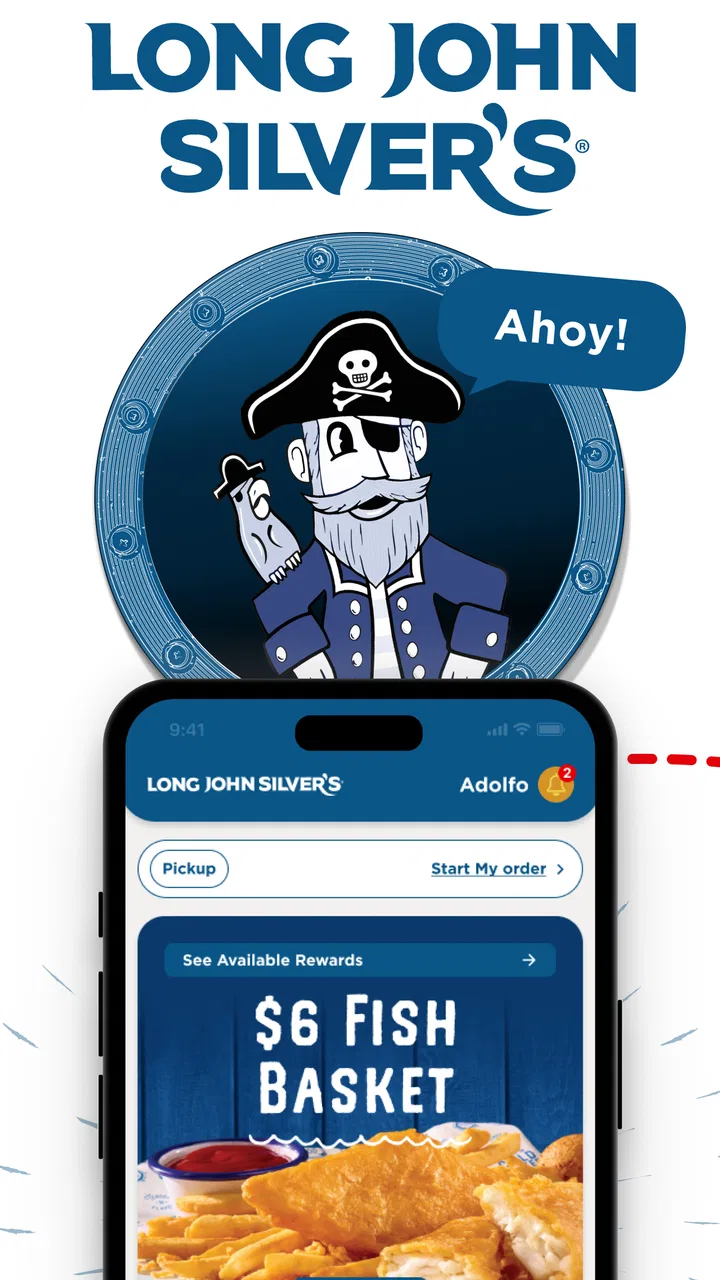
Long John Silver's
- 4.7
- Rating
- 500.00K
- Installs
- Free
- Price

 Analysis by App-foxy
I approached Long John Silver's as a practical ordering companion rather than something I would browse for entertainment. It is a free Food & Drink app from Long John Silver's, built around two useful jobs: placing an order and keeping track of rewards. That sounds simple, and in my experience that is exactly the right way to understand it. The app is most valuable when I already know I want Long John Silver's and would rather arrange the meal from my phone than start with a general delivery or restaurant-search app.
The first-time experience is fairly easy to understand, but it helps to know what success looks like before opening it. I would not install it expecting a broad restaurant directory, a recipe collection, or a way to compare several seafood chains. I would install it when I want to check the available ordering path for Long John Silver's, choose a nearby location if the app presents one, review the meal, and move toward checkout while making sure any reward-related benefits are handled along the way.
Getting from installation to a useful first order
I focus this section on making the first visit useful rather than merely getting through setup. I’d begin with the restaurant I actually plan to use, then treat the menu and rewards as separate decisions so neither distracts from checking the order. That simple sequence also sets up the next section’s closer look at what to expect when the app opens.
You May Also Like

 Blood Strike: 2.5 Anniversary
Blood Strike’s Loadouts Turn Every Drop Into a Tactical Gamble
A close look at Blood Strike’s custom loadouts: how fast access to signature weapons reshapes its battle royale rhythm, rewards preparation, and narrows the gap between fights.

 Pandora - Music & Podcasts
Pandora’s Music Is Easy to Start, but Harder to Recover
Pandora’s strength is its low-effort path from a seed to a station. Its weak spot is how much confidence it asks you to place in connection, setup, and quiet recovery.

 8 Ball Pool
 Is Built on Rivalries, Rematches, and Routine
A close look at the rivalries, rematches, shared routines, and unanswered safety questions that turn a quick pool match into a persistent mobile community.

 Samsung Music
’s Quiet Strength Is Playing What You Already Own
Its reach comes less from spectacle than from dependable access to a personal library. That simplicity is both the app’s strongest retention engine and its ceiling.

 AccuWeather: Weather Radar
AccuWeather Review: A Quick, Clear Forecast for Everyday Decisions
For everyday plans, the best forecast is the one you can understand quickly. AccuWeather makes rain timing, radar, and local conditions easy to act on, with a few trade-offs.

 Hill Climb Racing
Why Hill Climb Racing Still Turns Crashes Into One More Run
A tiny car, a bumpy hill and one more upgrade: Hill Climb Racing keeps resurfacing because its simple chaos makes every near-miss feel personal.
More From Our News Desk
View All News


What to expect when you open it
The app has a focused purpose, which is a strength for anyone who already has a specific restaurant in mind. Its store summary is “Ordering & Rewards,” and that short description matches the way I would use it: ordering is the immediate task, while rewards give me a reason to return instead of starting from scratch every time.
Long John Silver's is rated 4.7 on average from around 20 thousand ratings, with roughly 1.6 thousand written reviews. It has passed 100 thousand installs, so it is not an obscure experiment that only a handful of customers have tried. Those figures do not replace my own judgment, but they do suggest that the app has found an audience among people who want a direct connection with the chain.
The app is marked for Everyone, which makes its basic audience broad. I would still treat it as a tool for the person placing the order, not necessarily as a shared family menu or a complete planning tool for a large group. If several people are choosing different meals, I find it easier to decide the order together first and then use the app for the final details.
Setting it up without making the first visit harder
After installing it, I would begin with the practical information the app needs to make an order relevant: the restaurant location or ordering destination, followed by any account or reward steps it presents. My advice is not to rush through the first screens while distracted. A wrong location can make the rest of the process feel confusing, especially when a familiar menu item appears unavailable or the order options do not look like what I expected.
Before adding food, I would decide whether I am collecting rewards, using an existing benefit, or simply trying to place a one-time order. That small decision keeps the setup tidy. If I am ordering for myself, I can move quickly. If I am ordering for a family, I would first note each person’s choices and any changes they want, then enter them in one pass rather than repeatedly opening and closing the menu.
The current version is 2.12.4, and the app supports devices running Android 7.1 or later. That is helpful for people using an older Android phone, although compatibility alone does not guarantee that every older device will feel equally quick. On a small or aging handset, I would keep the process simple and avoid switching between several apps while building the order.
One useful habit is to check the selected restaurant before spending time customizing anything. Restaurant apps often make the menu look consistent even when the actual ordering choices depend on the location. I would confirm the destination first, then review the menu, then think about rewards. That sequence reduces the chance of building an order around an option that cannot be completed at the chosen restaurant.
Completing the first meaningful action
For a first visit, I would define success as reaching a clear order summary with the correct location, items, quantities, and any reward adjustment I intend to use. I would not measure the app by how quickly I can tap through the opening screens. The important question is whether I can move from “I want lunch” to “I understand exactly what I am ordering” without needing a separate app to fill in the gaps.
A realistic example is a weekday lunch break. I might open the app while still at work, select the Long John Silver's location that makes sense for my route, and add the meal I already have in mind. Before finalizing, I would check whether the order is set up for the kind of fulfillment I want and make sure the quantity is right. If I am collecting or applying rewards, I would handle that before the final confirmation rather than assuming it will happen automatically.
This is where the app can be more convenient than calling the restaurant. I can review the order visually, catch a missing side, and avoid trying to describe several items over the phone. It can also be more direct than a general delivery marketplace when my only goal is Long John Silver's. Instead of searching through unrelated restaurants, I begin with the chain I already chose.
My strongest practical tip is to pause at the final review, even when I am hungry. Check the restaurant, the item count, special choices, and the reward treatment in one calm pass. The few seconds spent there are more valuable than saving a few taps earlier. A direct restaurant app is useful because it reduces unnecessary searching; it is less useful if I treat it like a race and overlook an order detail.
How rewards change the way I use it
The rewards side is not just an extra tab to ignore. It affects the best workflow. If I visit Long John Silver's occasionally, I would first see whether the app gives me a clear way to track progress or review available benefits before placing the order. If I visit regularly, I would make the app part of my normal routine so that an order is connected with the reward activity instead of being treated as a separate transaction.
There is a trade-off here. Rewards can make a dedicated restaurant app worthwhile, but they also create another account or loyalty habit to maintain. Someone who already uses a general delivery service for every meal may prefer the convenience of one marketplace, even if that means giving up the more direct rewards experience. For me, the dedicated app makes more sense when Long John Silver's is a repeat choice rather than a one-off craving.
I would also avoid assuming that a reward is automatically the best value for every order. Sometimes I may want a particular meal more than I want to optimize a loyalty balance. Other times, a reward may be the reason I choose the restaurant that day. The app is helpful when it makes that choice visible, but the final decision should still come from what I actually want to eat.
Where first-time users may hesitate
The most likely confusion is the boundary between ordering and rewards. A new user may open the app expecting the first screen to explain every benefit, while the immediate task is simply to choose a location and build an order. I found it more reassuring to treat those as connected but separate steps: first make the restaurant and meal correct, then verify the loyalty details before finishing.
Another possible stumbling block is assuming that the app works like a universal delivery platform. It is not the right starting point if I am still deciding among many restaurants, comparing delivery fees across services, or looking for a broad range of cuisines. Its value begins after I have already chosen Long John Silver's. That narrower focus is convenient for a committed customer but limiting for someone who wants discovery.
Menu familiarity can also create false confidence. I may recognize a favorite item and add it quickly, but the order still deserves a location check and a final review. Restaurant apps can present a familiar brand while the practical choices vary from one selected restaurant to another. I would rather spend a moment verifying than discover the problem after I have left the ordering screen.
If the app feels slower than expected, I would first simplify the task: confirm the location, add only the needed items, and avoid repeatedly changing the same selection. On an older device, that approach is especially sensible. The app’s minimum Android requirement is modest, but a supported phone can still have limited storage, an older processor, or a busy connection. In that situation, careful navigation is more useful than repeatedly restarting the order.
When this app is better than the usual alternatives
Compared with a phone call, the app gives me a written order to inspect. That is a meaningful advantage when the meal includes several components or when I want to place the order without having a conversation. It also gives rewards a natural place in the same routine, whereas a call may require a separate loyalty step or a conversation about how benefits should be applied.
Compared with a general delivery app, the dedicated Long John Silver's experience is more focused. I do not have to filter through competitors, and I can approach the order with the chain’s own rewards system in mind. The compromise is that I lose the convenience of comparing restaurants, delivery options, or marketplace promotions in one place. If speed means choosing from a broad list, a marketplace may suit me better.
Compared with visiting the restaurant without planning, the app is most useful when I want to decide before arriving. I can build the order during a break, on the way home, or before coordinating lunch with someone else. The limitation is that I still need to pay attention to the selected location and the final order conditions; using an app does not remove the need to read what is on the screen.
For a person who eats at Long John Silver's only once, the rewards feature may not justify changing established habits. For a repeat customer, however, the combination of direct ordering and loyalty tracking gives the app a clear reason to stay installed. That difference is important: this is not a universal food app, and it should not be judged as one.
Who should install it, and who should skip it
I would recommend it to someone who already knows the chain, wants a direct ordering route, and is willing to use a dedicated rewards system. It is also a good fit for people who dislike calling in orders and prefer to check their choices visually. Families can benefit from the clearer review step, provided one person gathers everyone’s choices before entering them.
I would be more cautious about recommending it to someone who wants restaurant discovery, broad price comparison, or one app for every takeaway order. A general marketplace will usually be more flexible for that purpose. I would also skip it if I rarely visit Long John Silver's and do not want another app or loyalty routine on my phone. The free price removes a financial barrier, but it does not remove the cost of attention and storage space.
Because the content rating is Everyone, I would not see an age classification as a barrier to ordinary use. Still, a younger user may need an adult to handle the account, payment, or final purchase decisions. The rating describes the app’s suitability classification, not who should independently approve an order.
A calmer routine for repeat orders
After the first successful order, I would keep the process consistent. Start by confirming the restaurant, then choose the meal, then review the order, and only after that check the rewards outcome. This order of operations separates “what do I want?” from “how do I want to use my loyalty benefit?” It is a small distinction, but it prevents rewards from steering me toward an order I did not actually want.
For a regular lunch, I would prepare the order before the busiest part of my break rather than waiting until I am already standing outside. I would also keep a mental note of the changes I make often, such as quantity or preferred sides, so I can inspect those areas first. The app should reduce decision time, not encourage me to tap through the menu without checking the details.
When ordering for more than one person, I would use a simple spoken or written list before opening the app. That avoids the common problem of one person changing their mind while the order is already being assembled. Once everything is agreed, the app becomes the accurate entry point rather than the place where the group makes every decision in real time.
I also like the idea of treating the reward screen as a checkpoint, not a promise of savings. Look at what is available, decide whether it fits this order, and continue only when the benefit makes sense. That keeps the loyalty feature useful without turning every meal into a calculation.
My recommendation after using it
Long John Silver's succeeds because it stays close to a specific need: ordering from Long John Silver's and connecting that order with rewards. I appreciate that focus. It is easier to recommend to a repeat customer than to a person who is still browsing for dinner, and it works best when I approach it with the restaurant already chosen.
The main friction is not that the app tries to do too much; it is that a focused restaurant app naturally offers less flexibility than a broad food marketplace. I need to verify the location, read the order summary, and understand the reward step instead of assuming every decision will be handled for me. Those are manageable limitations, especially when the alternative is calling or searching through unrelated listings.
My final advice is simple: install it before the next planned Long John Silver's meal, not in the middle of a rushed hunger emergency. Give yourself enough time to select the right location, complete the first order carefully, and see how the rewards flow fits your habits. If that first experience feels natural and you return to the chain regularly, the app earns a place on your phone. If you mainly want restaurant comparison or occasional discovery, another food-ordering option will probably serve you better.
For my use, the best part is the direct path from intention to action. I decide on Long John Silver's, open the app, check the destination, build the meal, review it, and handle rewards without adding unnecessary searching. That focused workflow is the real reason to use it, while the need for location awareness and a careful final check is the trade-off every first-time user should understand.
FAQs for Long John Silver's
01What features does the Long John Silver's app offer?
The Long John Silver's app provides a variety of features, including easy access to the latest menu, exclusive discounts, and promotions for app users. Additionally, it offers a convenient location finder, allowing you to quickly find the nearest restaurant. Users can also place orders directly through the app for pickup or delivery.
02Is the Long John Silver's app available for both Android and iOS?
Yes, the Long John Silver's app is available for download on both Android and iOS platforms. You can find it on the Google Play Store for Android devices and the Apple App Store for iOS devices, ensuring a seamless experience across different operating systems.
03How does the rewards program work in the Long John Silver's app?
The Long John Silver's app includes a rewards program that allows users to earn points with every purchase. These points can be redeemed for free items or discounts on future purchases. The app also occasionally offers bonus points for specific promotions, helping users accumulate rewards faster.
04Are there any costs associated with using the Long John Silver's app?
The Long John Silver's app is free to download and use. There are no hidden fees associated with accessing the app's features, such as ordering food or utilizing discounts. However, standard charges apply for food purchases and delivery fees, if applicable, when placing an order through the app.
05How secure is the Long John Silver's app for transactions?
The Long John Silver's app employs advanced security measures to protect user information during transactions. It uses encryption protocols to ensure that your payment details are safe and secure. Additionally, the app requires account verification to prevent unauthorized access, providing users with peace of mind while using the service.
Pros
- User-friendly interface with easy navigation.
- Quick access to menu and nutritional info.
- Exclusive app-only promotions and discounts.
- GPS feature for finding nearby locations quickly.
- Mobile ordering for convenient pickup or delivery.
Cons
- Limited payment options available in-app.
- Occasional slow loading times reported by users.
- No customization options for notifications.
- Requires stable internet for optimal performance.
- Some users report occasional app crashes.

Long John Silver's
Gallery